Showing posts with label GPS. Show all posts

Friday, February 27, 2009

GeoUpdater and PinPoint is now Longitude

We renamed our iPhone Geo app from GeoUpdater (boring) to Longitude.
Longitude is an iPhone app that finds your current location emails a map image of your current location. It is available on the iTunes AppStore (check it out here).

Hey, is that not already available in the standard Map app on the iPhone? Not quite! The Map app can only email a link to a google map. Longitude includes an image of the map in the email. We find that more user friendly and hope you will too.

Wednesday, November 5, 2008

How to keep GPS on while iPhone is on standby

Your iPhone is switching off GPS as soon as you put your phone in standby mode. This is a measure by Apple to conserve battery. As a side effect users of GPS trackers like Firepin Trip Tracker will not be able to record accurate locations when in standby mode.

Using a car charger will keep the GPS on even in standby mode. An extended battery pack will keep the GPS running too. But what if you are walking or running and want to use Firepin to record your trip in best possible accuracy?

Here is a trick we found to keep your GPS running even when your iPhone is in standby mode.
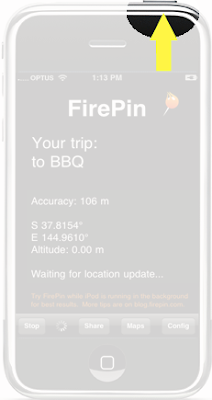
  1. Launch Firepin Trip Tracker on the iPhone
  2. Start tracking
  3. Lock the screen
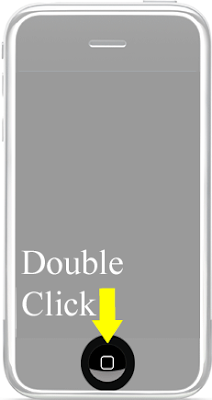
  4. double press Home button on your iPhone
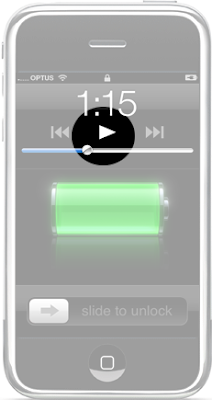
    (iPod player control will pop up. Did you know that?)
  5. Press play
  6. Reduce volume if you don't want to listen to music
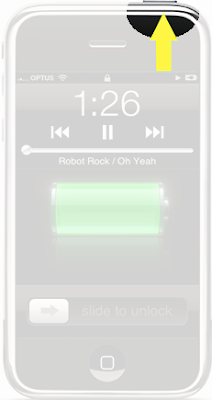
  7. Lock the screen again
Voila, now GPS is working even your phone is locked.
Chuck your iPhone in your pocket and Firepin will record your trip with best accuracy.

Sounds complicated? Once you are used to the little trick it is easy to use. The result is worth the effort.

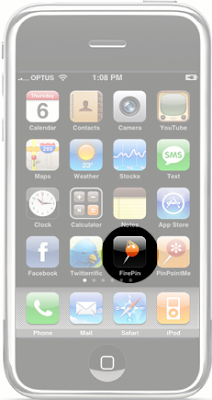
Here is the how you enable background GPS in pictures: